How Wire AI works
Wire AI is an activation loop, not a single screen. It covers five stages of a new user's first days: the onboarding, the added value moment, the AI personalization that sets their starting state, the in-app review ask and the in-app questionnaire. Four of the five run four versions at once, and Wire keeps the one that holds.
Activation is when a user reaches the moment your app pays off, and comes back. That is the number the whole loop moves.
Onboarding
Four versions: question order, how many
The flow opens with your questions, rendered as themed native cards inside your app. Nothing looks bolted on. Wire puts four versions of it live at once, varying the order of the questions and how many there are, and each new user is assigned one of the four server-side and keeps it for good.
Added value
Four versions: what appears first
A value screen that reflects back what the user just told you, so the questions read as already paying off. You author the slides once. The four versions vary what appears first, because the slide a user meets first is the one that decides whether the rest gets read.
AI personalization
Engine step, no versions, no winner
The engine step. There are no versions here and no winner to pick: this is where Wire reads the onboarding answers together with what your app already has, and sets this user's initial app state. It is what makes the four tested stages land on a screen that already fits the person looking at it.
In-app review
Four versions: board cleared, or journal finished
The ask for a store review, fired at a moment of value rather than on app open. The four versions vary which moment counts as the win, for example a board cleared or a journal finished. Unhappy users route to a private channel instead of the store.
In-app questionnaire
Four versions: when to ask, what to ask
A short in-app question set after the user has lived in the product. The four versions vary when to ask and what to ask, and the answers feed the same funnel the rest of the loop reads.
How the four versions are run
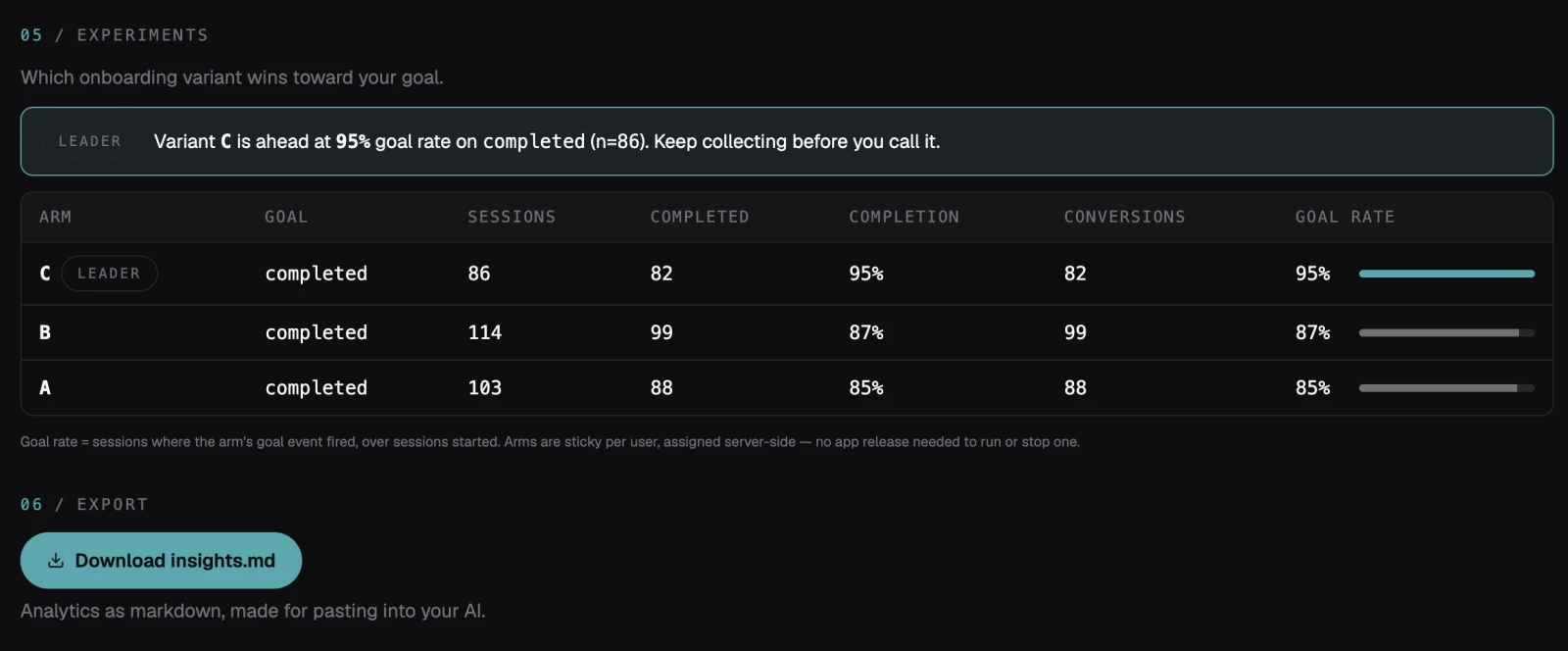
Wire writes the four versions of a stage ahead of time, and the server assigns each new user to one of them. The assignment is sticky, so a user meets the same version every session, and the goal for that stage is tracked per version. When one of them holds more users than the rest, it becomes the new baseline and is locked as your static config. The next stage starts from there.
The learning loop
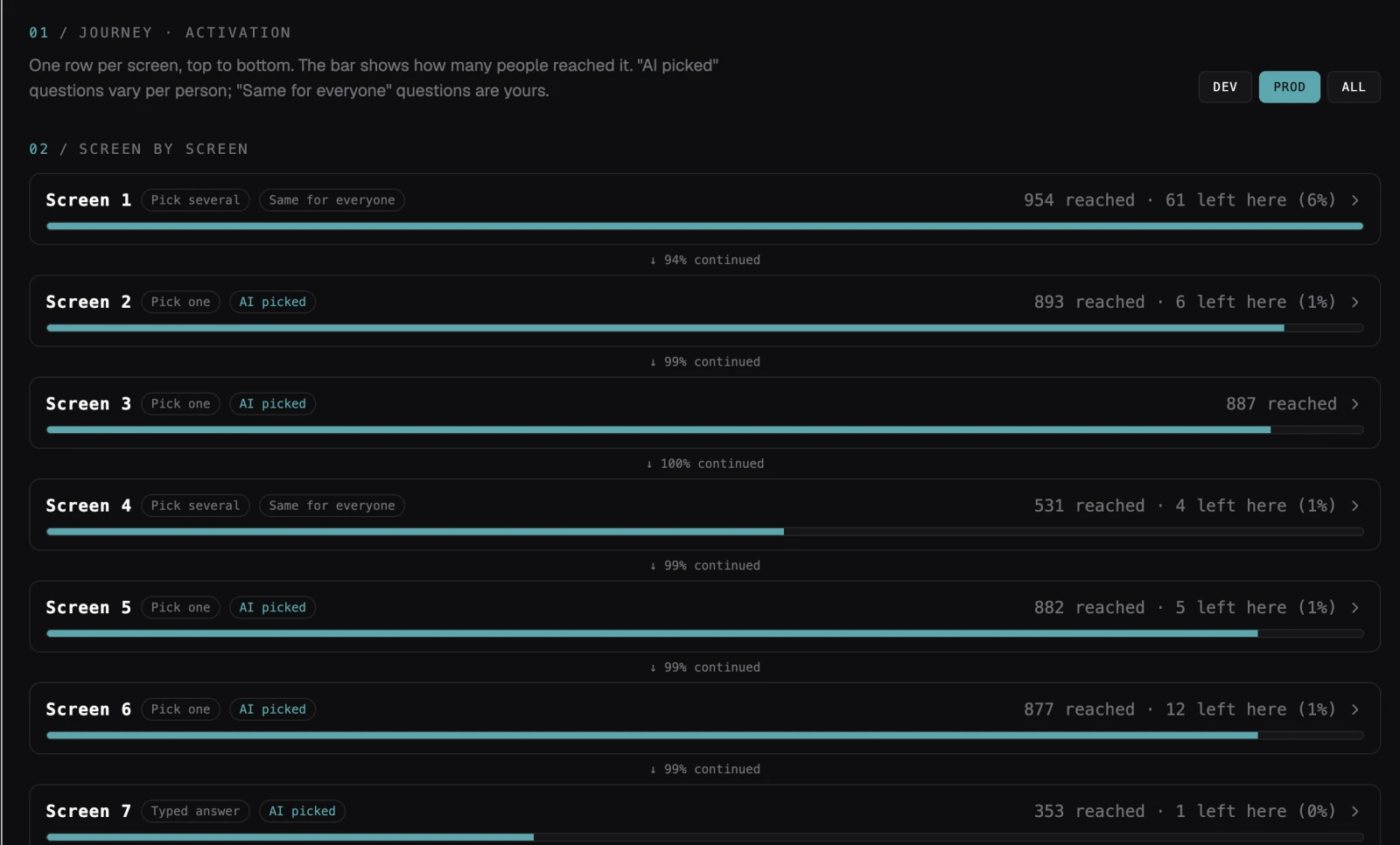
Every finished journey feeds a funnel you can read. Wire AI turns a week of that funnel into an aggregate analysis of who your users are and where they drop, plus a paste-ready update to the questions themselves. The flow gets sharper the more it runs.
What you actually see
The funnel and the experiments are not a mockup. Here is the console reading a live app that runs its activation on Wire AI.
Where to go next
MCP integration
The fast route. Point your coding tool at the MCP server and it wires the SDK in for you.
Skills
What actually ships in the package, and the prompt your coding agent uses to wire it in.
Getting started
Install the kit, wire Metro, and render your first flow.
Billing
What a finished onboarding is, and how the meter works.
What Wire will not optimize on
The three vulnerability classes Wire AI keeps out of the loop, and what you may not instruct it to do.